Bootstrap: A Step Up From Vanilla CSS
08 Oct 2025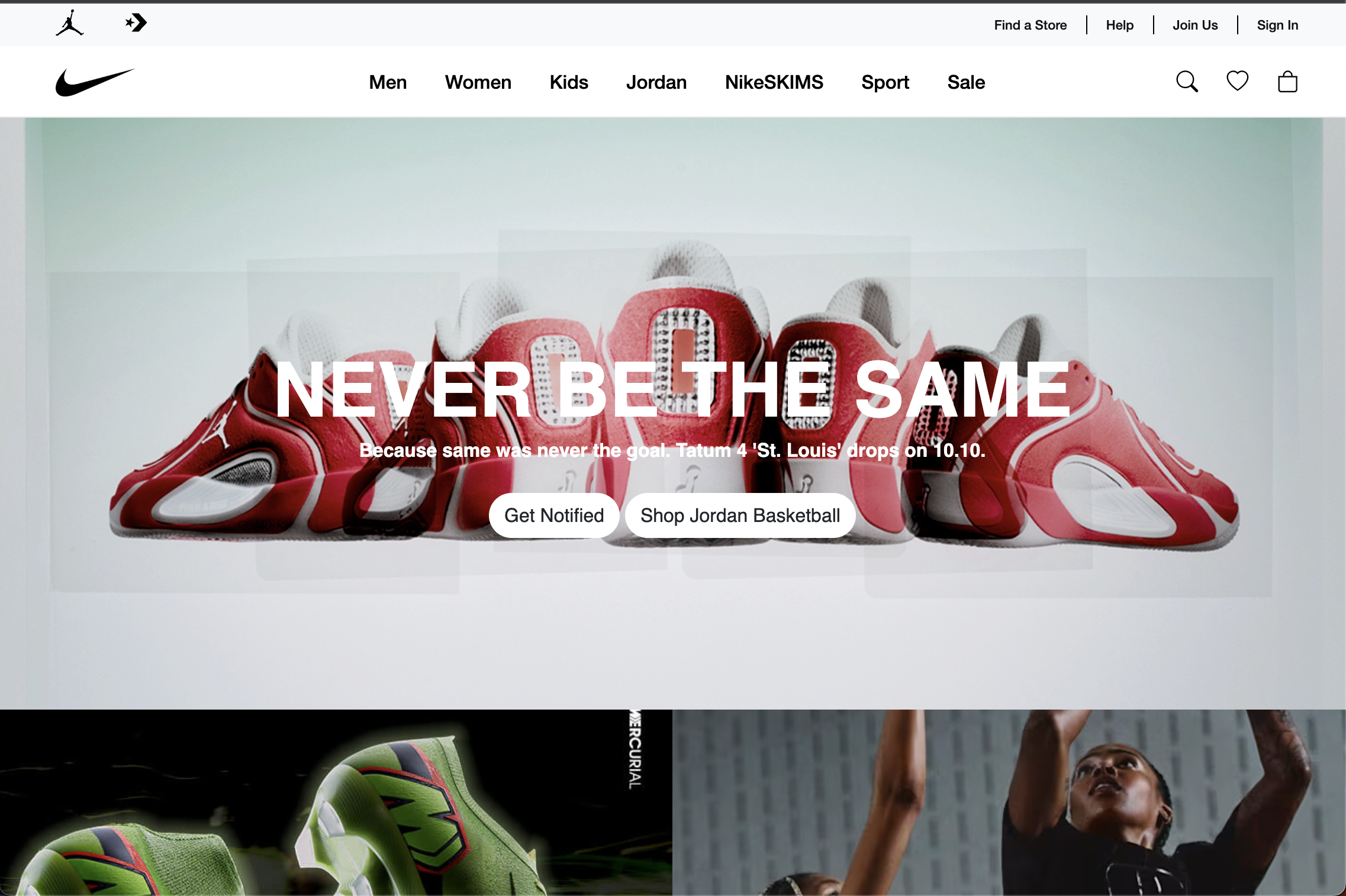
Preface
Developing anything more than the most basic website with ONLY vanilla CSS is one of the most tedious experiences I have had. I believe that any tool that can help save me time when writing CSS is more preferable than writing vanilla CSS. If you sat me in a room by myself and I could only code with vanilla CSS, I’d most likely go insane. Pros and cons of Bootstrap
Pros and cons of Bootstrap
While UI frameworks are far from perfect, they can save a lot of time in styling individual elements. With Bootstrap (and with other UI frameworks like TailwindCSS), you can style HTML elements with specific keywords in the class name. Using these class keywords, you can implement styling properties with a more shorthanded notation. This means styling that would usually take a multitude of lines in vanilla CSS, takes only a couple of these class keywords. For example, centering a div (one of the most feared tasks a software developer can get) can be done with just three class keywords in Bootstrap:
<div class=”d-flex justify-content-center align-items-center”>...</div>
I think that this is very handy because it spares you from going to a separate CSS file and typing the same thing out with more words. You might think I’m being a bit stingy (I probably am), but I think if there’s an option that can efficiently save you time and it gets the exact same thing done that you wanted, you should take that option 99.9% of the time. When it comes to CSS, I will 100% take the route that saves me time.
Another handy tool in Bootstrap is that it comes with components that are commonly used in web development, such as a navbar for the top menu of sites. Using the built-in class keywords, it makes implementing a responsive navbar really straightforward; and by responsive, I mean that the full menu appears on larger screens, but the menus collapse into a hamburger menu on smaller screens. Here’s an example of a responsive navbar made with Bootstrap from my Nike homepage clone:


Like I said before, however, Bootstrap (and other UI frameworks) is far from perfect. Compared with TailwindCSS (another UI framework I’ve used), I find Bootstrap to be more limited in how you can style using it. For example, Bootstrap only has a handful of native colors in their class selectors, which means I usually have to type vanilla CSS for text and background color even with Bootstrap. On the other hand, Tailwind has a much wider color palette available, which means I rarely have to type vanilla CSS.
You’ll also have to learn a whole new set of keywords to style with Bootstrap. It’ll take a fair amount of time to learn all of the keywords, so it’s even more of learning how to implement CSS. I initially found this super tedious because I thought that it was a whole new thing, as I had to learn to implement the same thing that I could do in vanilla CSS. However, as I got more comfortable with Bootstrap styling, it became borderline second nature.
The verdict on Bootstrap
I think that Bootstrap is a step up from vanilla CSS, as it gives you the capability to design prettier industry-standard more easily. Once you get more comfortable with it, Bootstrap also saves more time in the development process. While it may be more limited than other UI frameworks, Bootstrap is overall a useful tool in UI development.